Remote service gateway for machine builders
One box in the control cabinet. Then you can reach it.
Alongside our sensors, we are developing LugBox for machines. Its own connection supports remote service and the collection of usage data, such as runtime, the number of grinding discs and cuts per disc. The available data depends on the machine and its integration.
- Delivered configured
- Own 4G connection
- We manage, you use
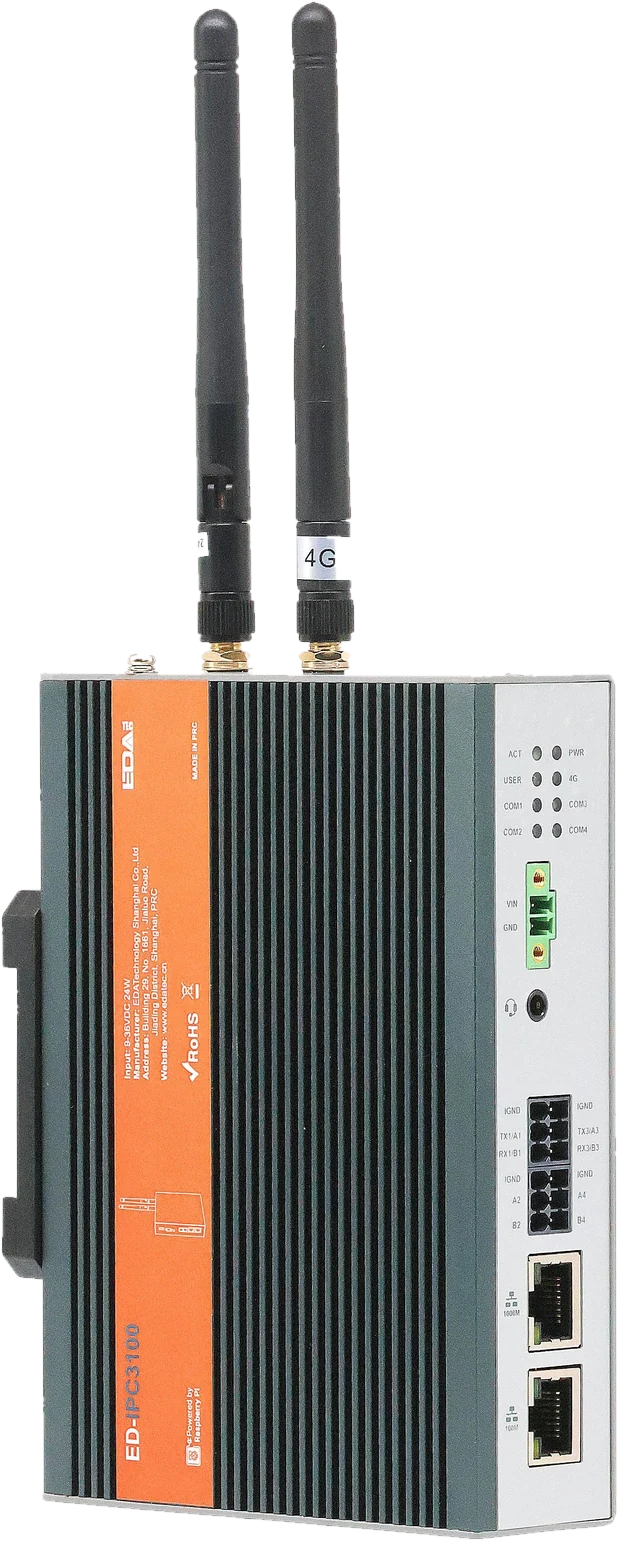
What you get
A complete remote service connection per machine. Not just a router.
- The LugBox itself, for mounting on the DIN rail in the control cabinet.
- Its own 4G connection, with SIM and data. Separate from your customer's network.
- Secure access for your engineers. You decide who gets in.
- Managed by us: updates, monitoring and replacement if faulty.
- One point of contact. You talk to the people who built it.
Your engineers then simply work with their own software. LugBox just makes sure the connection is there when they need it.
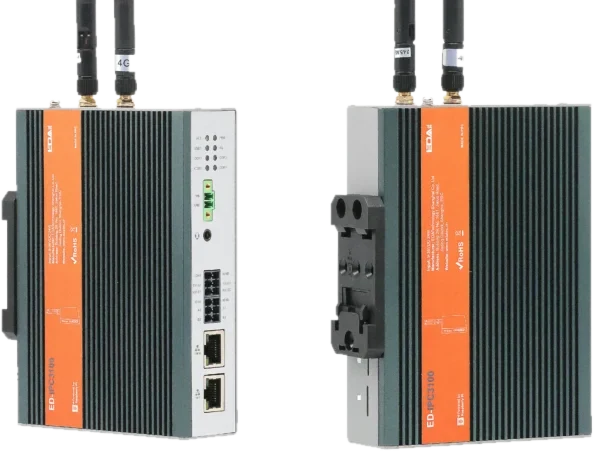
From box to first connection
Your engineer installs LugBox during normal assembly or at the next service visit.
-
Step 1: Install
LugBox on the DIN rail, connect power and place the antenna.
-
Step 2: Connect
Ethernet to the switch or directly to the PLC, HMI or IPC.
-
Step 3: Online
LugBox reports to us over 4G. You see the machine appear.
-
Step 4: Connect remotely
Your engineer connects and works with TIA Portal, TwinCAT or whatever they normally use.
A fixed price per machine
A one-off amount for the hardware and setup. Then a fixed monthly fee for connection and management. No hourly rate and no project quote.
One-off
LugBox and setup
The gateway, configured for your machine, ready to install.
- Industrial 4G gateway
- Configuration for your machine network
- Antenna
- Installation guide for your engineer
€ —
per machine
Per month
Connection and management
Everything needed to keep the connection working and secure.
- SIM and 4G data
- Secure remote access
- Remote updates
- Connection monitoring
- Replacement if faulty
- Direct contact with us
€ —
per machine per month
Final prices to follow. For the pilot we agree a fixed price for the first machine in advance.
Start with one machineTechnical specifications
For the engineers who want to know exactly.
Preliminary specifications. Values marked [tbc] will be confirmed with the first production run. A special application or protocol? Just ask us.
Connection
- Mobile network
- 4G LTE
- SIM and data
- Supplied and managed by Remote Connections
- Antenna
- External antenna, can also be placed outside the cabinet
Machine side
- Ethernet
- 2 × RJ45 [tbc]
- Traffic
- IP traffic to PLC, HMI and IPC
- Software
- Your own engineering software
Mounting and power
- Mounting
- DIN rail 35 mm
- Power supply
- 24 V DC [tbc]
- Temperature range
- [tbc]
Security and management
- Connection
- Encrypted, outbound only from LugBox
- Access
- Per engineer, revocable
- Updates
- Remotely, by Remote Connections
Frequently asked questions
Does my customer's IT department need to do anything?
No. LugBox uses its own 4G connection and does not touch your customer's network. It is good practice, though, to let your customer know there is a remote service gateway in the machine.
What if 4G coverage in the hall is poor?
Then you place the antenna on top of the cabinet or outside the hall. In the pilot we measure coverage at the real site before you roll out further.
Which software do I connect with?
You first make a secure connection to the machine. Then you work with your own engineering software, as if you were plugged into the machine with a network cable.
Who has access to my machines?
Only the engineers you give access. We manage the connection, not your machines. We do not log in to your controller without your instruction.
What happens if LugBox breaks?
We send a replacement LugBox with the same settings. Take it out, put it in, done.
Can I buy LugBox without a monthly fee?
No. The monthly fee pays for the 4G connection, management and updates. Without that it is just another router nobody maintains.
Can I try it first?
Yes. You start with one machine. Only when that connection works well do you decide on more.
Try LugBox in one machine.
You don't have to convert your whole fleet. Start with the machine that causes the most hassle today.
-
1
We discuss your machine and controller. Half an hour, by phone or on site.
-
2
You receive a LugBox that is already configured for your machine.
-
3
Your own engineer installs it and connects Ethernet.
-
4
We test the first connection together. If you like it, you roll out further.